Screenshots
The keyboard remapping interface, including key assignments and the start controls.
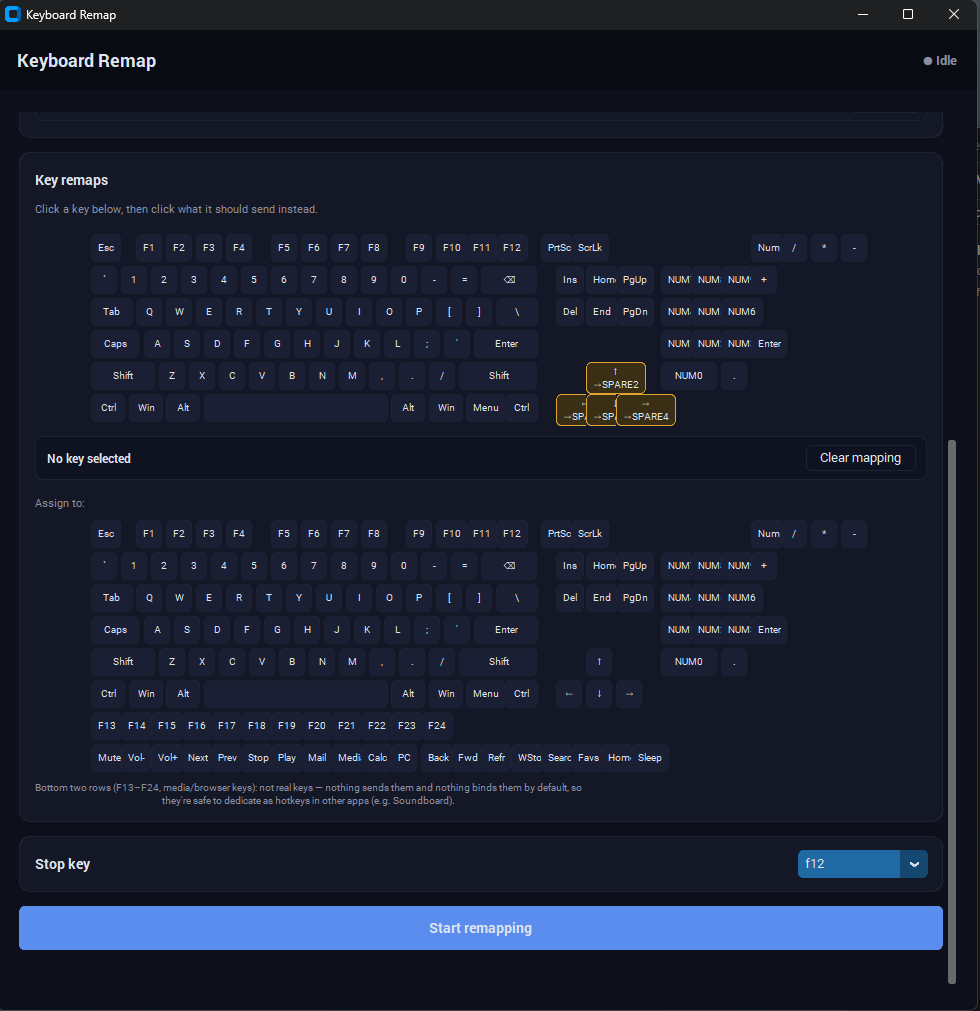
Remaps every key on ONE physical keyboard — by hardware ID — while your other keyboard stays completely normal. Built on the Interception driver, the only reliable way on Windows to tell two keyboards apart and intercept them separately (tools like PowerToys or AutoHotkey see all keyboards as one device).
Free — it's Python source, not a ready-to-run exe. Setup needs an admin driver install and a reboot (steps in the README).
The keyboard remapping interface, including key assignments and the start controls.
Kernel-level device filtering (Interception driver) — only the keyboard you pick gets remapped, everything else types normally.
Each physical key maps to exactly one output key — intentional, no key combos or scripted actions.
Run identify.bat, press a few keys on the target keyboard, and it prints the hardware ID to paste into the config.
Press the configurable stop key on either keyboard, or just close the console window.
Real Python (not the Microsoft Store stub) plus the Interception driver — driver install needs admin rights and a reboot before it'll work.
Run identify.bat as administrator, press keys on the keyboard you want to remap, and copy its hardware ID into config.json.
Fill in "from_key": "to_key" pairs in config.json, then run remap.bat as administrator.
Driver installs and admin prompts trip people up more than the script itself does.